


If you have been exploring the world of OpenDream AI art, you already know how exciting it feels to turn a simple idea into a stunning visual in seconds. But like any creative tool, getting truly impressive results takes more than just typing a few words and hitting generate. The difference between average ai art and genuinely stunning visuals often comes down to technique, understanding, and a handful of smart habits that most beginners never bother to learn.
Opendream ai art gives you an incredibly powerful creative engine right at your fingertips. But like any engine, you need to know how to drive it properly before you can get where you want to go. Whether you are creating images for your blog, social media, digital products, client work, or simply for the joy of making something beautiful, the tips in this guide will help you get dramatically better results starting from your very first session.
This is not a basic “type a prompt and see what happens” tutorial. This is a practical, in-depth guide packed with real techniques by Tech Specs that professional AI artists use every day. By the time you finish reading, you will have everything you need to approach OpenDream AI art with confidence, creativity, and skill.
1. Start With a Clear and Specific Prompt
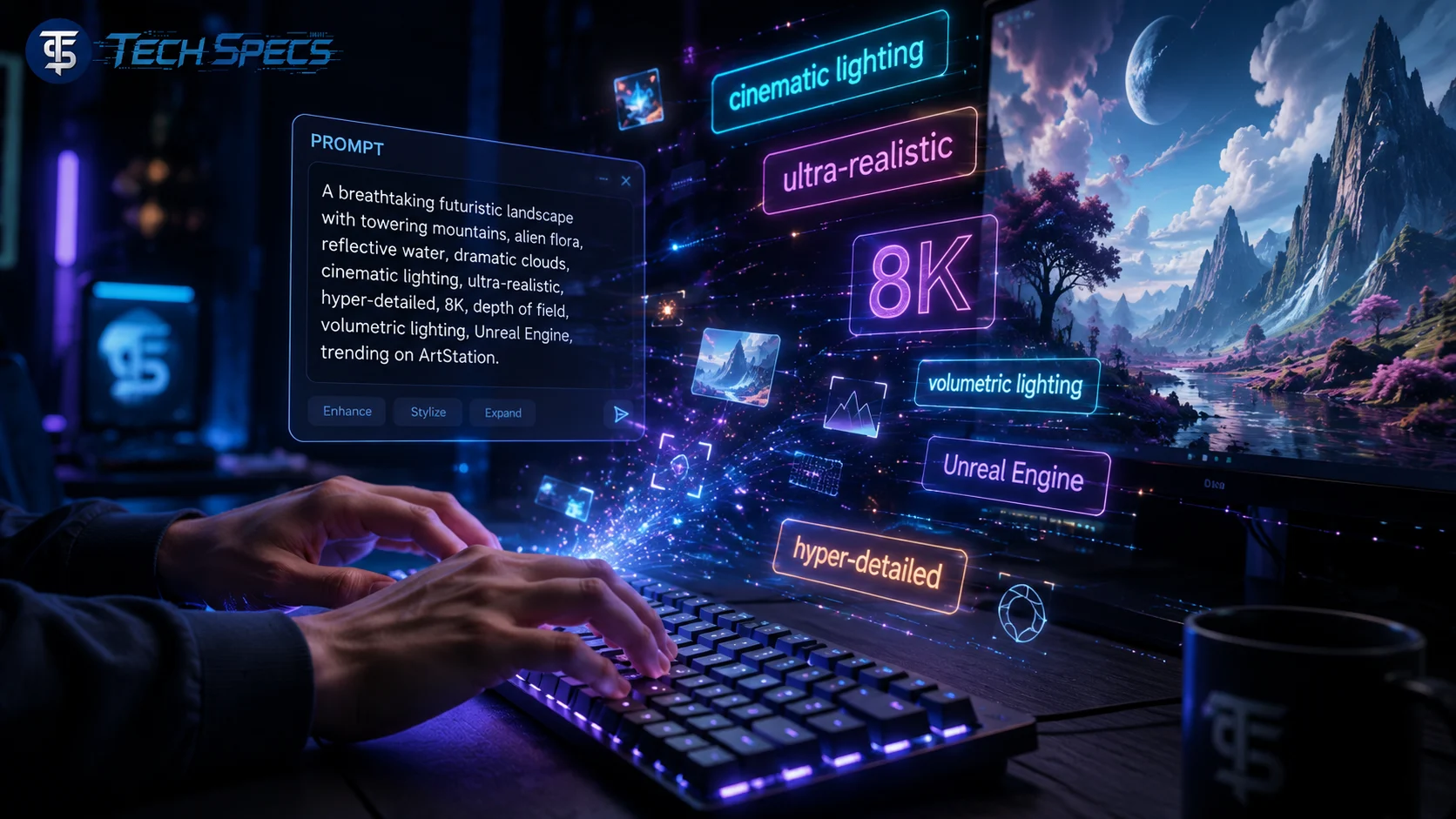
The single most important skill in opendream ai art is prompt writing. Your prompt is the instruction you give the ai, and the quality of that instruction directly determines the quality of your output. Vague prompts produce vague, generic results. Specific, detailed prompts produce sharp, intentional, and visually compelling images.
This is the mistake most beginners make. They type something short like “a dog in a park” and then feel disappointed when the result looks basic. The fix is simple: add more detail.
Instead of typing something like “a woman in a forest,” try something like “a young woman standing in a misty ancient forest at golden hour, wearing a flowing red silk dress, surrounded by glowing fireflies, soft cinematic lighting, ultra-realistic, depth of field, 8K resolution.”
Key elements to always include in your prompt:
- Subject: Who or what is the main focus of the image
- Setting or background: Where the scene is taking place
- Lighting style: Golden hour, studio lighting, neon glow, soft natural light
- Art style: Photorealistic, oil painting, anime, watercolor, concept art
- Mood or atmosphere: Dramatic, peaceful, mysterious, energetic, melancholic
- Camera or composition details: Close-up portrait, wide angle, bird’s eye view
- Quality modifiers: Ultra-detailed, sharp focus, 8K, cinematic, award-winning photography
Every additional detail you include gives the ai more information to work with. The result is an image that looks far more intentional and professional than what a short, vague prompt produces.
2. Master the Art of Negative Prompts
One of the most powerful and most underused features in opendream ai art is the negative prompt. While your regular prompt tells the ai what you want, the negative prompt tells it exactly what you do not want. This simple addition can completely transform the quality of your output.
Ai art generators sometimes introduce common errors, especially when generating human figures. Extra fingers, distorted faces, blurry backgrounds, and watermarks are all issues that show up frequently. A well-crafted negative prompt removes most of these problems before they even appear.
A strong negative prompt to get you started:
blurry, low quality, pixelated, deformed, bad anatomy, extra fingers, extra limbs, poorly drawn hands, poorly drawn face, watermark, text, logo, signature, oversaturated, washed out, grainy, noisy, out of frame, cropped, duplicate, ugly, mutation, disfigured
Make it a habit to paste a solid negative prompt into every single generation. You will notice an immediate improvement in the cleanliness and professionalism of your opendream ai art results.
3. Experiment With Different Art Styles
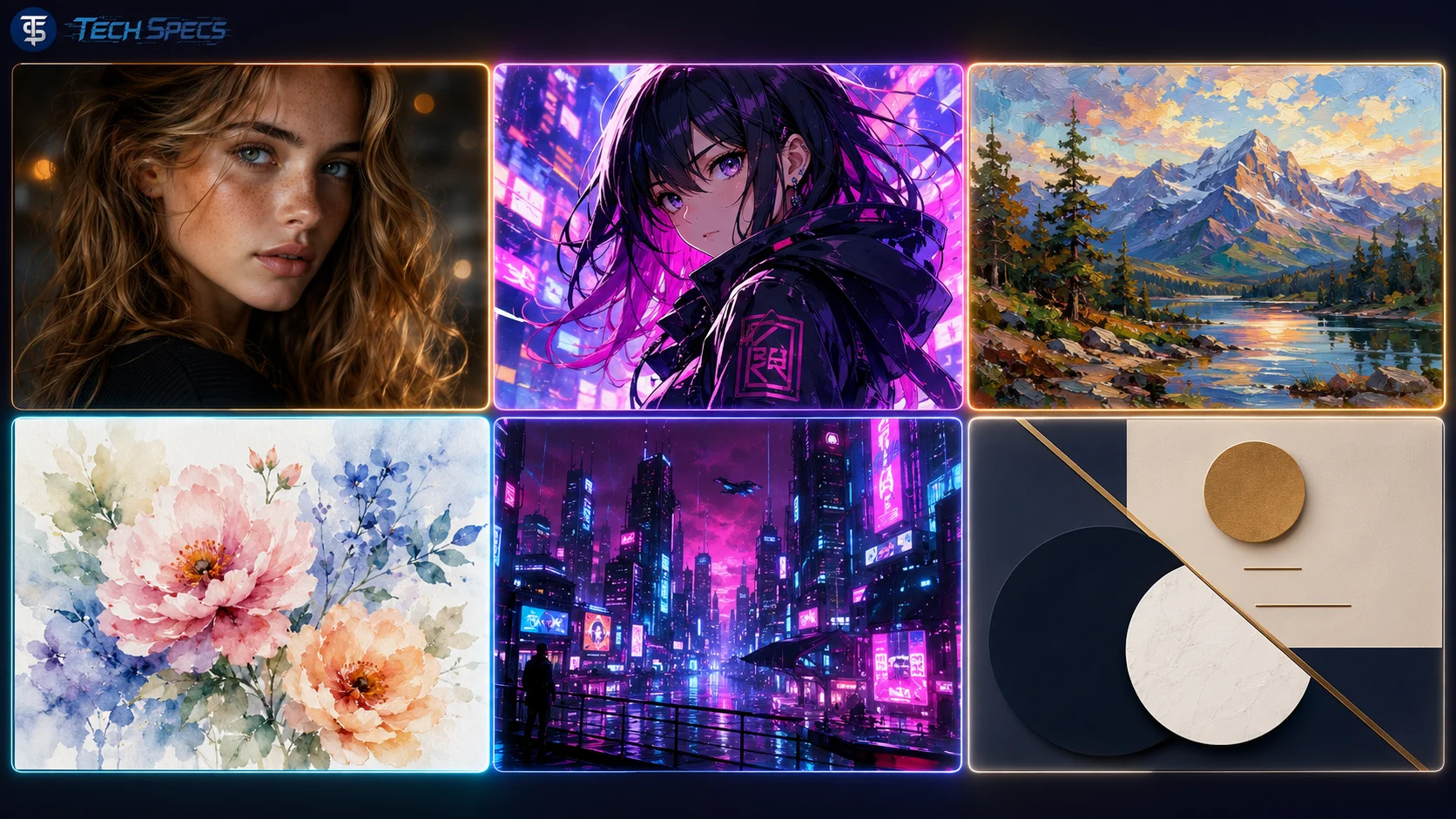
Opendream ai art supports a huge range of artistic styles, and one of the fastest ways to level up your work is to stop sticking to one style and start exploring. Different styles suit different purposes, and knowing which style works best for your specific goal gives you a serious creative advantage.
Popular styles worth exploring:
- Photorealistic for lifelike portraits, product mockups, and believable landscapes
- Anime or manga for character art, fan art, and storytelling illustrations
- Oil painting for classic, textured, and timeless artwork
- Watercolor for soft, dreamy, and emotionally warm visuals
- Cyberpunk or sci-fi for futuristic, edgy, and high-tech designs
- Concept art for game environments, fantasy worlds, and creative world-building
- Minimalist for clean, modern, and commercially versatile graphics
- Impressionist for artistic, painterly visuals with a loose and expressive feel
One of the most exciting things about opendream ai art is that you can blend styles together. Prompts like “anime-style character with realistic cinematic lighting” or “oil painting with a sci-fi atmosphere” can produce something completely original and visually striking. Do not be afraid to combine unexpected styles. Some of the best ai art comes from creative style combinations that nobody has tried before.
4. Adjust Your Settings for Maximum Quality
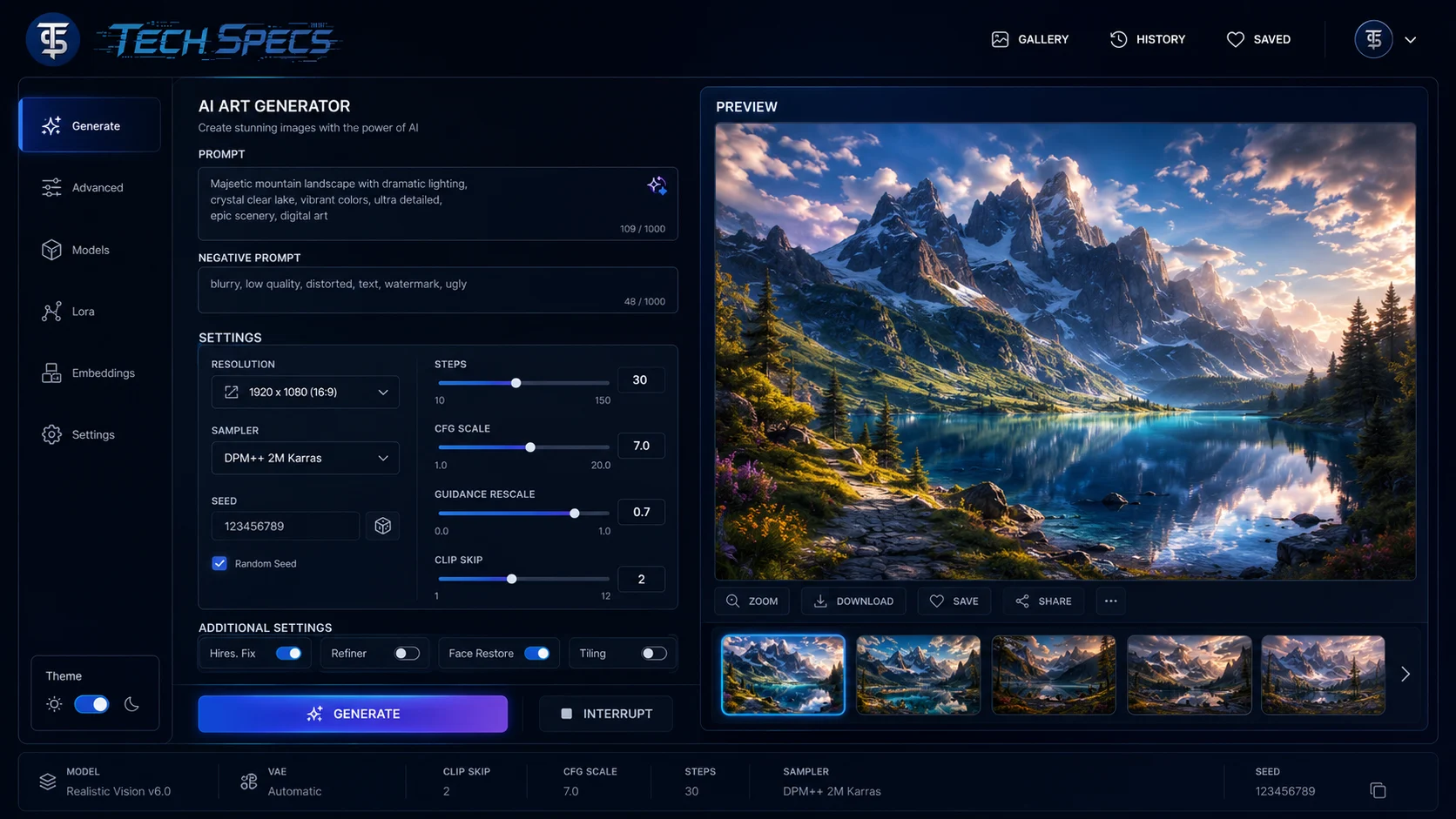
Your prompt is only part of the equation. The settings you choose within the opendream ai art platform play an equally important role in determining the quality of your output. Most people leave these at default and never realize how much better their results could be with a few simple adjustments.
Settings to understand and optimize:
- Resolution: Always use the highest resolution available on your plan. Higher resolution means more detail, sharper edges, and more professional-looking images overall.
- Steps: The number of steps controls how many times the ai refines the image. More steps generally means more detail and better quality. A value between 30 and 50 is a great starting point for most prompts.
- CFG Scale (Guidance Scale): This setting controls how strictly the ai follows your prompt. A lower value gives the ai more creative freedom, while a higher value keeps the output closer to your exact description. A value between 7 and 12 tends to produce the best balance between creativity and accuracy.
- Sampler: Different samplers produce images with different textures, sharpness levels, and overall aesthetics. Euler A and DPM++ 2M Karras are two popular choices worth experimenting with. Try a few different samplers with the same prompt and compare the results.
- Seed: If you find a result you love, note the seed number. Using the same seed with minor prompt tweaks lets you maintain consistency while experimenting with variations.
Spending a little time getting comfortable with these settings will give you far more control over your opendream ai art and allow you to consistently hit the quality level you are aiming for.
5. Use Reference Images to Guide Your Output
If opendream ai art supports image-to-image functionality or reference image uploads, you should absolutely be using this feature. Reference images give the ai a visual anchor that text alone simply cannot provide. They drastically reduce the gap between what you are imagining and what the ai produces.
Reference images are especially useful when you want to:
- Match a specific color palette or overall mood
- Recreate a particular composition, layout, or framing
- Apply the style of one image to a completely different subject
- Maintain visual consistency across a series of images
- Bring a hand-drawn sketch or rough concept to life
The best approach is to combine a strong reference image with a detailed text prompt. The reference handles the visual information that is hard to describe in words, while the prompt handles the specific details, style choices, and quality modifiers. Together, they give you much more precise and consistent results.
6. Iterate and Refine Every Generation
One of the most important mindset shifts you can make as an opendream ai art creator is to stop treating the first generation as the final result. Professional ai artists almost never use the first image they generate. They treat every output as a rough draft and iterate from there.
How to iterate effectively:
- Generate multiple variations of the same prompt and compare them side by side
- Identify which elements of the result are working and which are not
- Make small, specific tweaks to your prompt rather than rewriting everything at once
- Change one setting at a time so you can clearly see what is impacting the output
- Use your best result as a reference image for the next round of generation
This process of gradual refinement is how the best opendream ai art creators consistently produce stunning work. The more you iterate, the more you train your eye to recognize what works and what does not. Over time, you will spend less time iterating because your prompts will be stronger from the very beginning.
7. Build and Maintain a Prompt Library
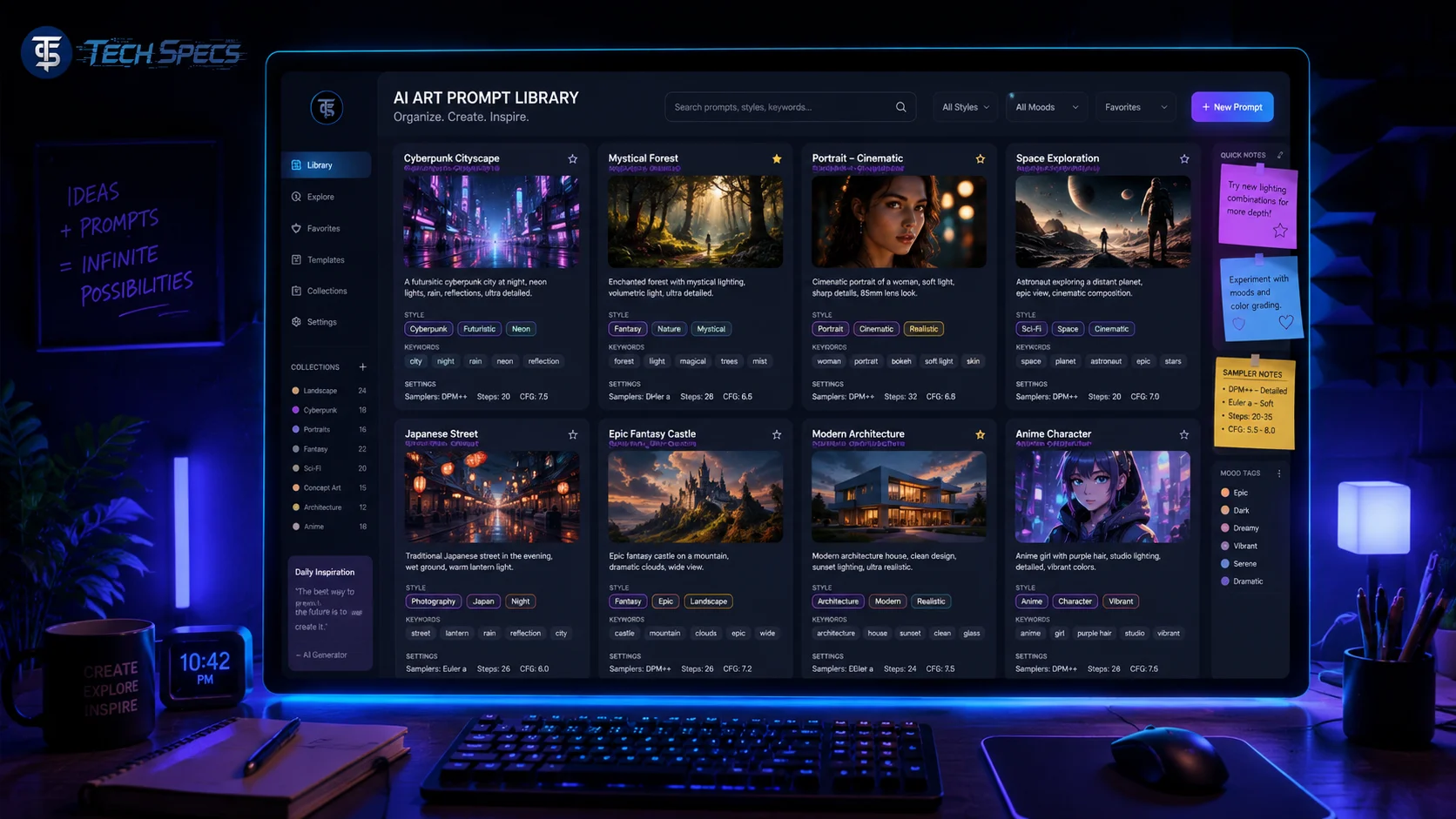
As you spend more time with opendream ai art, you will naturally discover prompts, keywords, style descriptors, and setting combinations that consistently produce excellent results. These discoveries are valuable, and you should save them in a dedicated prompt library.
What to include in your prompt library:
- Full prompts that produced your best images
- Style keywords that reliably deliver great results, such as “cinematic lighting,” “hyperrealistic,” “soft bokeh,” or “concept art by Greg Rutkowski”
- Negative prompt templates that work well across different types of images
- Setting combinations including steps, CFG scale, and sampler preferences
- Notes about what worked and what did not for specific types of prompts
Your prompt library becomes one of your most valuable creative assets over time. Instead of starting from scratch every session, you can pull from your library, mix and match proven elements, and build powerful new prompts in a fraction of the time. This is exactly how experienced opendream ai art creators maintain a high and consistent quality level across all of their work.
8. Study Great AI Art and Reverse Engineer It
One of the fastest and most effective ways to improve at opendream ai art is to study images you admire and try to figure out how they were made. Look closely at the style, lighting, composition, color palette, and overall mood. Then try to write a prompt that recreates those elements.
This is not about copying anyone’s work. It is about training your prompt-writing instincts by analyzing what makes great ai art great. When you understand what specific prompt elements and settings produce specific visual results, your ability to create original work improves dramatically.
Many ai art communities and galleries, including those built around opendream ai art, allow creators to share their images alongside the prompts they used. These shared prompts are incredibly educational. Study them, test them, modify them, and use them as a foundation for developing your own unique creative voice.
Pay close attention to how top creators describe lighting, atmosphere, and texture in their prompts. These are often the elements that separate genuinely impressive ai art from mediocre results, and they are surprisingly easy to incorporate once you know what to look for.
9. Combine Opendream AI Art With Post-Processing Tools
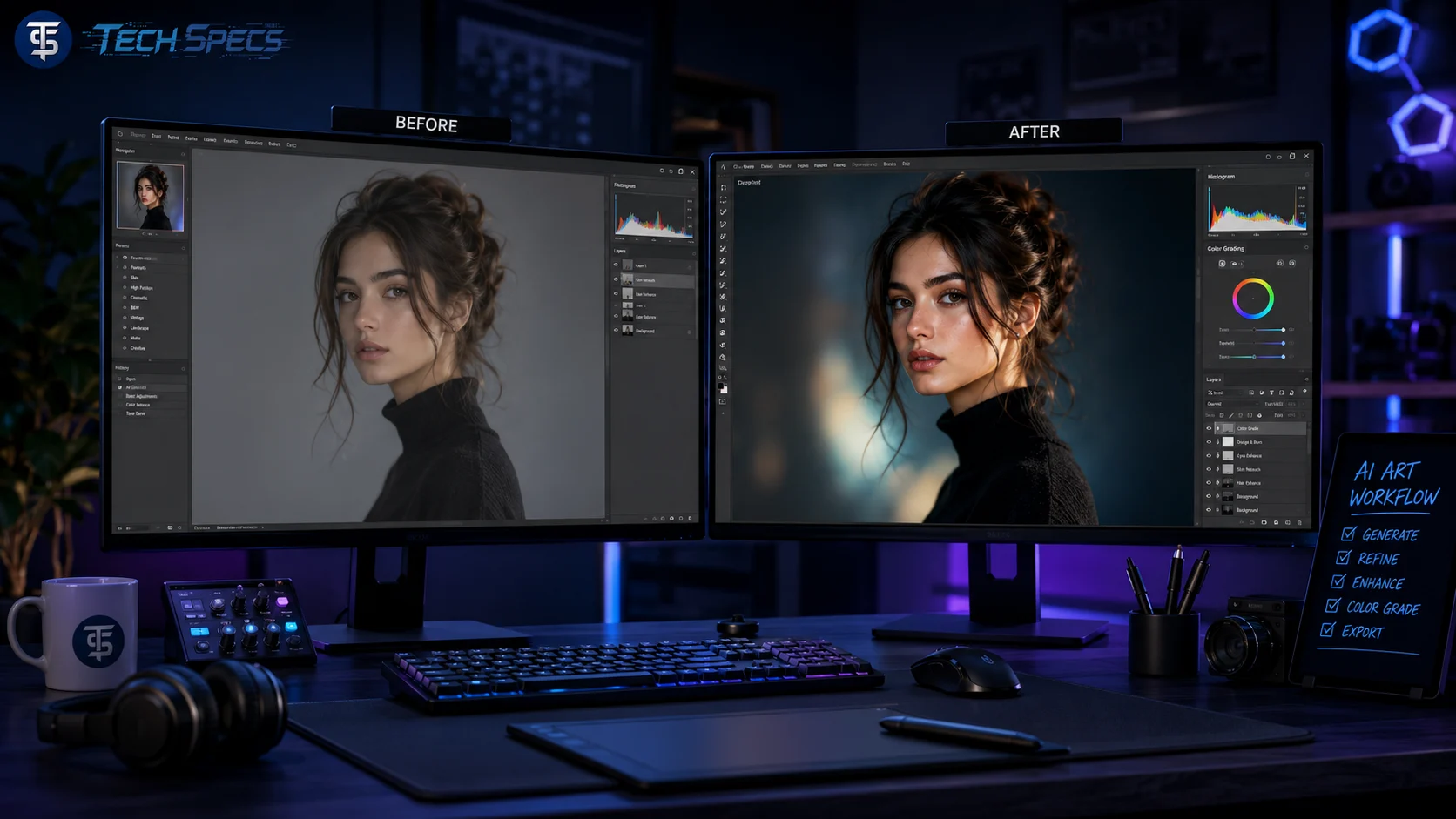
Even the best ai-generated images can benefit from a little post-processing. Combining opendream ai art with editing tools gives you complete creative control over the final result and allows you to fix minor issues, enhance details, and add professional polish.
Tools that work well with opendream ai art:
- Adobe Photoshop for detailed retouching, compositing, and color grading
- Adobe Lightroom for quick color adjustments and overall tone enhancement
- Canva for adding text, branding, and layout elements for social media or blog use
- GIMP for free, open-source image editing with many of the same capabilities as Photoshop
- Topaz Gigapixel AI for upscaling your images without losing detail
Post-processing is especially useful for removing minor ai artifacts, fixing small anatomical errors that slipped through, adjusting the color grading to match your brand aesthetic, or combining multiple ai-generated images into one cohesive composition. Think of opendream ai art as your creative engine and editing tools as your finishing kit. Used together, they give you professional-level results that stand up to anything produced with traditional design methods.
10. Stay Consistent, Keep Practicing, and Stay Curious
This final tip is the one that ties everything else together. Getting great at opendream ai art is not something that happens overnight. It is a skill that develops over time through consistent practice, curious experimentation, and a genuine commitment to improving.
Simple habits to build consistency:
- Set aside regular time to experiment, even if it is just 15 to 20 minutes a day
- Challenge yourself with new styles, subjects, and prompt structures you have never tried before
- Share your work with other ai art creators and ask for honest feedback
- Follow updates and new feature releases from opendream so you are always using the platform to its full potential
- Keep pushing yourself to try things that feel outside your comfort zone
The artists who consistently produce the best opendream ai art are not always the most technically knowledgeable. They are the ones who practice with intention, stay curious about what is possible, and never settle for results that feel average. Every session is a chance to learn something new, discover a new technique, and get a little bit better than you were the day before.
Why Mastering Opendream AI Art Is Worth Your Time
Opendream ai art is not just a fun hobby tool. It is a genuinely transformative creative platform that is changing the way designers, content creators, marketers, educators, and artists work. When you invest time in mastering the techniques in this guide, you unlock abilities that simply were not accessible to most people just a few years ago.
With strong opendream ai art skills, you can produce professional-quality visuals without expensive software, a design degree, or years of traditional art training. You can create unlimited custom images for your blog, social media channels, digital products, print materials, and client work. You can bring creative ideas to life faster than ever before and build a distinctive visual style that sets your content completely apart from everything else in your niche.
The platform continues to evolve and improve, and the creators who invest in learning it now will have a serious competitive advantage as ai art becomes an increasingly standard part of the creative industry. The learning curve is real, but it is absolutely manageable, and the results are well worth the effort.
Conclusion
Mastering opendream ai art is a journey that rewards patience, curiosity, and consistent practice. From writing highly detailed prompts and using negative prompts effectively, to experimenting with styles, refining your settings, iterating on your results, and combining ai-generated images with post-processing tools, every technique in this guide gives you a concrete way to improve your skills and your output quality.
You do not need to apply all ten tips at once. Start with the ones that feel most relevant to where you are right now, build your confidence, and add more techniques to your workflow as you go. The most important thing is to keep showing up, keep experimenting, and keep pushing your opendream ai art to the next level.
The more time and intention you put into this skill, the better your results will become, and the more value you will get from one of the most exciting creative tools available today.
Frequently Asked Questions
Q1. What is opendream ai art and how does it work? Opendream ai art is an ai-powered image generation platform that creates images from text descriptions using machine learning models. You write a prompt describing what you want to see, and the platform generates a unique image based on your input.
Q2. How can I write better prompts for opendream ai art? Write detailed, specific prompts that include information about the subject, setting, lighting, art style, mood, and quality level. The more descriptive your prompt is, the closer the output will be to your creative vision.
Q3. What are negative prompts and why are they important in opendream ai art? Negative prompts are words or phrases that tell the ai what to leave out of the image. They help eliminate common issues like blurry backgrounds, distorted faces, extra fingers, watermarks, and low-quality output, resulting in cleaner and more professional images.
Q4. What settings should I adjust to improve my opendream ai art quality? Focus on increasing your resolution, setting your steps value between 30 and 50, adjusting your CFG scale between 7 and 12, and experimenting with different samplers. These four settings have the biggest impact on overall image quality.
Q5. Can I use opendream ai art for commercial purposes? Commercial use rights depend on your specific plan and opendream’s terms of service. Always review the platform’s licensing terms before using ai-generated images in commercial projects, advertising, or client deliverables.
Q6. How many variations should I generate before choosing a final image? Generating at least 5 to 10 variations per prompt is a good practice. This gives you a range of options to compare and helps you understand which elements of your prompt are producing the strongest results.
Q7. What art styles work best for social media content in opendream ai art? Photorealistic, vibrant concept art, and bold graphic styles tend to perform well on social media. The best style depends on your brand and audience, so experiment with several options and track which styles get the best engagement.
Q8. How do I maintain a consistent visual style across multiple opendream ai art images? Save your best-performing prompts, style keywords, negative prompts, and setting combinations in a personal prompt library. Reusing these elements across different images helps you maintain a consistent and recognizable visual style.
Q9. Do I need any design experience to get good results with opendream ai art? No formal design experience is required. However, developing a basic understanding of composition, lighting, and color theory will help you write better prompts and recognize high-quality output more quickly.
Q10. How long does it take to get good at opendream ai art? With consistent daily practice, most people begin producing noticeably better results within two to four weeks. Mastery takes longer, but the improvement curve is steady and rewarding as long as you keep experimenting and learning.